
Video Editor, Maker -VideoCook
InShot Video EditorVideo Players & Editors
4.813.77K Reviews
- Version
- 3.015.10
- Installs
- 100.00M
- Age Rating
- Everyone
Screenshots
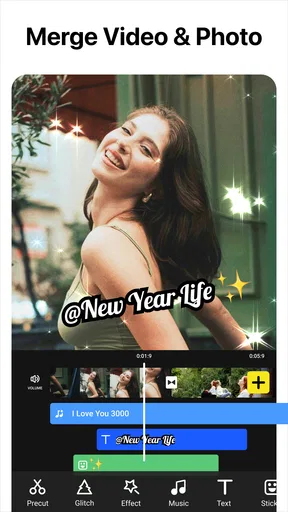
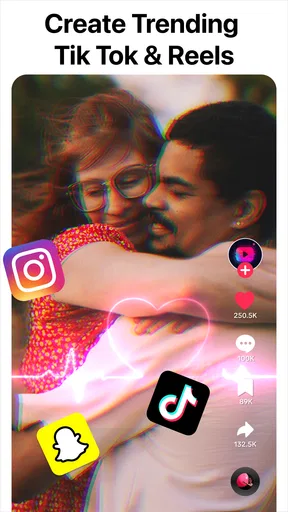
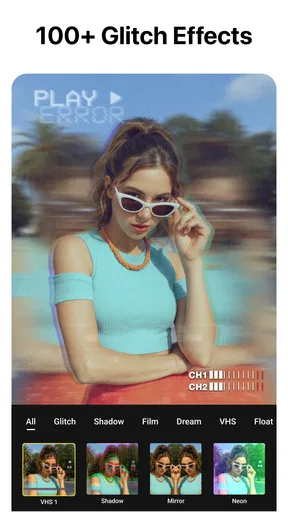
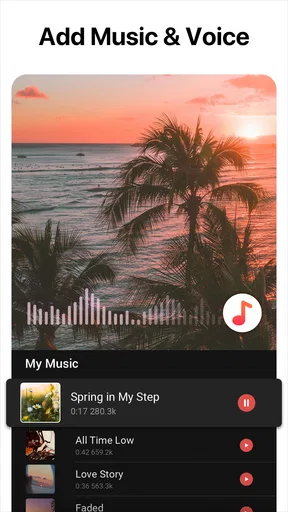
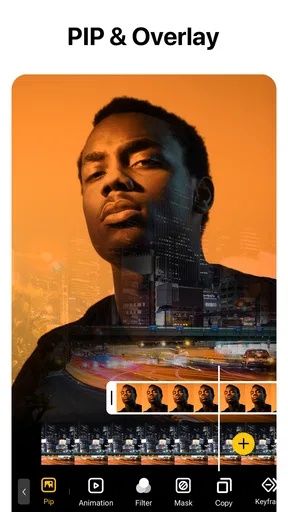
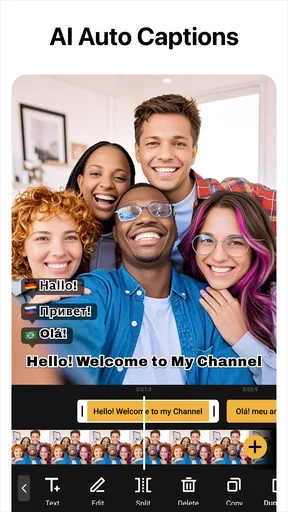
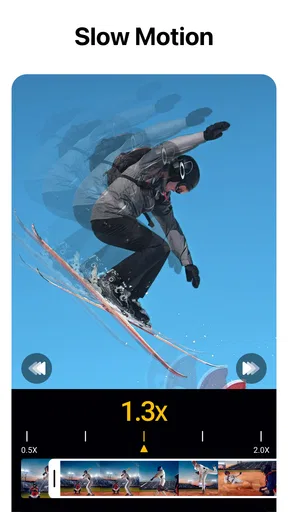
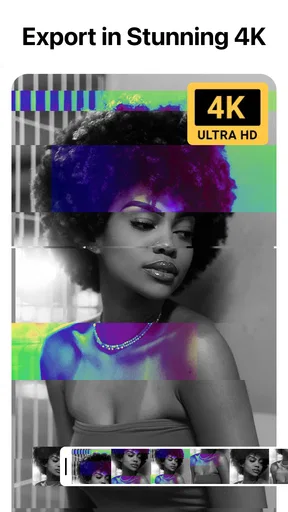
Our Review of Video Editor, Maker -VideoCook
 Analysis by Appyee
My view of Video Editor & Video Maker is simple: it is most appealing when you want to turn clips into a polished social video without learning a desktop editing workflow. I’d reach for it to make a quick montage, add a personal touch with text or music, and get a shareable result from a phone. It has plenty to explore, but that doesn’t mean every project is effortless or that it replaces a more controlled editor for demanding work.
What I’d check before starting a project
This is a free video-editing app from InShot Video Editor, with optional in-app purchases ranging from $0.49 to $159.99 per item. That broad range is a reason to look carefully at any paid option before confirming it: casual editing may be all you need, while a regular creator might decide a paid extra is worthwhile. The app is rated for Everyone, and its current version is 2.6.0.1, which requires Android 8.0 or later.
Its scale is notable: it has more than 100 million installs and an average rating of 4.8 from around 1.2 million ratings, alongside about 14,000 written reviews. Those figures suggest a lot of people find it useful, but they don’t tell you whether its editing style suits your own projects. I’d treat them as context, then judge it by how comfortably you can build the kind of video you actually want.
A phone-first workflow, with a few useful habits
For a short birthday recap, for example, I’d pick the strongest clips first, trim away the pauses, then add music and a small amount of text rather than decorating every shot. That order matters: it helps the story work before effects start competing for attention. I’d also watch the whole edit once with sound on and once muted; music can hide awkward cuts, while a silent check makes it easier to spot visual jumps.
When using playback-speed changes, I’d apply them selectively. Slowing one moment can draw attention to a reaction or detail, but changing the pace repeatedly can make a simple montage feel choppy. The same restraint applies to transitions: a consistent cut often feels cleaner than switching effects between every clip. These small choices are where an accessible editor can still reward a thoughtful eye.
Music and voiceover serve different jobs, so I wouldn’t automatically layer both across the entire video. A voiceover can carry context, while a quieter soundtrack can support it; if both are prominent, the result may be hard to follow on a phone speaker. I’d record narration after arranging the clips, when the sequence is settled, and listen back before exporting. That makes it easier to catch a line that starts too early or gets buried under the track.
Where it sits among mobile editors
Compared with a basic gallery editor, this app is better suited to combining clips with music, text, effects, and speed changes in one place. That convenience is valuable when the goal is a personal recap or a social post rather than a carefully managed film project. Compared with more advanced timeline editors, however, the appeal is less about deep control and more about getting useful creative options without a steep learning curve.
If you need precise control over many layers, detailed audio mixing, or a workflow that stays consistent across larger projects, I’d compare it with a more specialist editor before committing. A simpler tool can be faster for a one-off clip, while a desktop program may be a better fit for complex work. The right choice depends on whether you value quick phone-based editing or fine-grained control more.
Who is likely to enjoy it
I’d recommend it to someone who regularly turns everyday footage into short, personal videos and wants more than a one-tap filter. It also makes sense for a beginner who is curious about editing but doesn’t want to start with a crowded professional interface. People making family updates, holiday montages, or casual clips for social feeds can benefit from having trimming, music, effects, and personalization tools close together.
I’d be less likely to suggest it to someone who edits long videos, needs a highly repeatable production process, or expects professional-level control over every sound and visual element. It may also frustrate anyone who prefers to keep edits restrained and has no interest in its extra creative options. In that case, a basic built-in editor could be quicker and less distracting.
Getting Started with Ease
First things first, downloading the app was a breeze. Available on both Android and iOS, Video Editor & Video Maker doesn’t take up a massive chunk of your storage, which is always a win in my book. Once installed, you’re greeted with a clean and intuitive interface. Even if video editing isn’t your forte, navigating through this app feels like a walk in the park.
As I started exploring, I noticed that the layout is incredibly user-friendly, with large icons and straightforward labels. Honestly, it's designed so well that even your tech-challenged aunt could become a video-editing whiz with this tool in no time.
Feature-Packed Fun
Now, let’s talk features. This app is packed with all the usual suspects: cutting, trimming, and merging videos. But what really sets it apart are the little extras that make video editing a joy rather than a chore. Fancy some transitions? You’ve got dozens to choose from. Whether you’re in the mood for something subtle or a transition that screams "look at me!", there’s something for every occasion.
One of my favorite features has to be the extensive library of filters and effects. With just a tap, you can transform your ordinary home video into a cinematic masterpiece. It’s like having a professional editing suite right in your pocket!
Audio and Music Magic
Of course, no video is complete without the perfect soundtrack. The app offers a robust selection of royalty-free music that you can easily incorporate into your projects. Plus, if you’re a fan of voiceovers, you can record directly within the app. I’ve tried adding a few quirky voiceovers myself, and the process was seamless.
Customization Galore
Customization is where this app truly shines. From fonts to stickers, you can personalize your video to the nth degree. I spent hours tweaking and adjusting until my video felt just right. The app even allows you to adjust the playback speed, perfect for those trendy slow-mo or time-lapse effects.
The best part? You can export your finished masterpiece in various resolutions, including HD. Whether you’re sharing on social media or saving it for a special occasion, your video will look crisp and professional.
Sharing Made Simple
Once your video is ready to wow the world, sharing it is a cinch. With direct links to major social media platforms, you can upload your creation in seconds. I loved how the app simplifies the process, eliminating the need to jump between apps or mess with complex export settings.
And if you’re feeling a bit old-school, you can always save your video to your device. This flexibility means you’re never limited in how you choose to share your work.
Final Thoughts
All in all, Video Editor & Video Maker is a delightful app that combines powerful features with a user-friendly design. Whether you’re a seasoned pro or a complete newbie, this app caters to every skill level. It’s rare to find an app that’s both comprehensive and easy to use, but this one nails it.
So, if you’re on the hunt for a video editing app that doesn’t require a degree in film studies, give Video Editor & Video Maker a try. Trust me, it’s a game-changer. Ready to unleash your creativity? Download it today and start crafting your cinematic wonders!
A practical way to avoid a cluttered edit
One trade-off with a large collection of creative choices is that it’s easy to keep adding things after the video already works. I’d make a rough cut first, decide on one visual style, and then use effects only where they help the moment. For instance, a family meal montage may need clear shots and readable captions more than a stack of filters. Keeping a clean original clip available also gives you a fallback if an effect looks less natural once the full sequence plays.
For a quick weekend outing video, I’d sort the clips into a beginning, a few memorable moments, and a closing shot before choosing music. That simple structure makes a phone edit feel intentional even if it is only a minute long. If the footage is mixed between portrait and landscape, I’d check the framing throughout rather than judging only the opening shot; a crop that looks fine on one clip can cut off a face or sign in another.
Small decisions that make exports easier
Before exporting, I’d play the finished video from beginning to end instead of checking only the sections I edited most. That catches abrupt starts, leftover silence, and text that disappears too quickly. I’d also consider where the video will be watched: captions and stickers that look readable on a large screen may feel crowded on a phone. A restrained layout is often more effective than shrinking everything to fit.
When deciding whether to save a copy or share immediately, I prefer saving the finished file first. It gives me a version I can keep or send later without rebuilding the edit, and it avoids tying the only copy to a social post. If I’m making several clips from the same event, I’d also keep each project focused on one story rather than trying to squeeze every recording into a single montage.
What to expect from a free app
The free entry point makes it easy to try the editing style before spending anything, but optional purchases mean I would pay attention to what is included and what is presented as an upgrade while working. I wouldn’t assume that every effect or extra is available at no cost. If a particular paid option is central to your plan, check its terms in the app before building a whole project around it.
It is also worth separating ease of use from professional control. A straightforward interface can help a new editor finish something quickly, but it does not automatically make every edit precise or every result cinematic. Strong source clips, clear pacing, and sensible audio choices still matter more than piling on effects. I see the app as a convenient creative toolkit, not a substitute for planning or careful editing.
My recommendation
The app has been available since February 22, 2019, and its latest version, 2.6.0.1, fits an audience looking for accessible phone editing rather than a technical post-production setup. Its combination of trimming, transitions, filters, music, voice recording, text, stickers, speed adjustments, and export choices gives casual creators room to make a video feel personal. The main question is whether you want that breadth or would rather have a simpler editor with fewer decisions to make.
I’d start with it if you want to turn ordinary phone footage into a shareable recap and enjoy experimenting with presentation. I’d look elsewhere if your work depends on elaborate layer management, demanding sound work, or a highly controlled long-form process. For the middle ground—quick edits with enough creative flexibility to feel like your own—it is an approachable choice, provided you use its options selectively and check any purchase prompt before deciding.
Verdict
Strengths of Video Editor, Maker -VideoCook
- Intuitive interface for beginners.
- Wide range of editing tools.
- Supports multiple video formats.
- Regular updates with new features.
- High-quality video export options.
Limitations of Video Editor, Maker -VideoCook
- Occasional crashes on older devices.
- Limited free version features.
- Ads can be intrusive at times.
- Exporting can be time-consuming.
- Some features need internet access.
Other Releases by InShot Video Editor
View All
Video Editor & Maker - InShot
Photography4.8

Video Maker
Video Players & Editors4.8

YouCut - Video Editor & Maker
Video Players & Editors4.8
Similar Picks in This Category
View All
Google TV
Google LLC3.9

iTunes
Apple4.7

YouTube
Google LLC3.8

MX Player
Amazon Mobile LLC4.2

CapCut - Video Editor
Bytedance Pte. Ltd.3.5

PLAYit-All in One Video Player
PLAYIT TECHNOLOGY PTE. LTD.4.5
Frequently Asked Questions
What features does the Video Editor & Video Maker app offer?
The Video Editor & Video Maker app provides a comprehensive suite of features including trimming, merging, and cutting videos, adding music, filters, and transitions, as well as capabilities for slow motion and reverse video effects. It also supports HD video export, making it ideal for both casual users and professional content creators.
Is the Video Editor & Video Maker app user-friendly for beginners?
Yes, the app is designed with an intuitive interface that is user-friendly for beginners. It offers easy drag-and-drop functionality, tutorials, and a clean layout that helps new users navigate and utilize tools without a steep learning curve, making video editing accessible to everyone.
What are the common issues users face with the app?
Some users have reported occasional bugs such as the app crashing during export or lag during editing, especially with longer videos. These issues are typically addressed in updates, but users are encouraged to keep the app updated and check device compatibility to minimize these problems.
Does the app include any in-app purchases or subscriptions?
Yes, while the basic version of the app is free, it offers in-app purchases and subscription options for additional features. These may include premium filters, effects, and the removal of watermarks. Users can choose to upgrade based on their editing needs and budget.
Can I share my edited videos directly on social media platforms?
Absolutely. The app includes built-in sharing options that allow users to directly upload and share their edited videos on popular social media platforms like Instagram, Facebook, and YouTube. This seamless integration helps streamline the process of showcasing your creations to a broader audience.
